Works offline
Adding, scanning receipts, the dashboard, the AI chat and export all work in airplane mode. Only searching for and downloading AI models needs the internet.
For iPhone and iPhone Duo
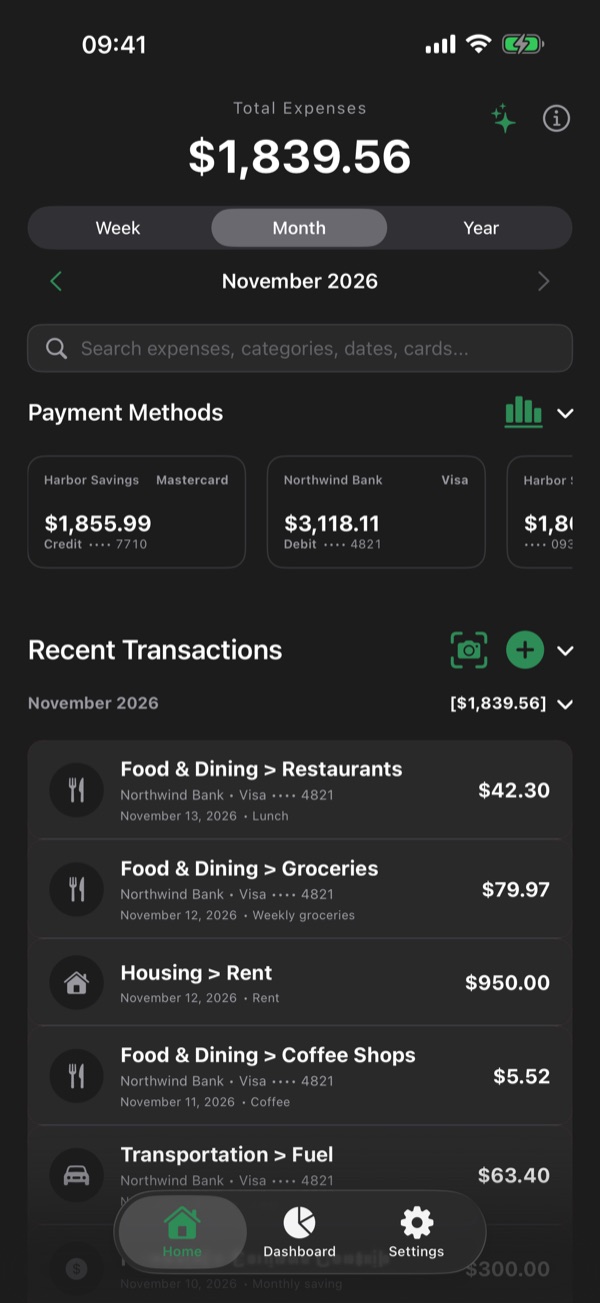
Xpensia makes your expenses easy. Scan a receipt or an invoice, or add an expense in seconds, then ask the AI about your money and export your data whenever you want. All of it works offline, on your iPhone. Sync with your own iCloud only if you want it.
Offline and local
Expenses say a lot about a life. Xpensia keeps them where they belong: on your iPhone, protected by iOS. No account to create, no server of ours, nothing collected. And if you want your data on more than one device, it syncs only with your own private iCloud.
Adding, scanning receipts, the dashboard, the AI chat and export all work in airplane mode. Only searching for and downloading AI models needs the internet.
Everything you enter lives on your iPhone, under iOS data protection. Receipts are read on the device too.
Sync with my iCloud is off until you turn it on. Then your data goes to your own private iCloud, which Apple keeps for you; we never receive it.
No account, no analytics, no advertising, no tracking. The App Store label says it: Data Not Collected.
Settings ▸ Delete all my data erases everything on the iPhone, and in your iCloud when sync is on. Privacy
AI that stays on the device
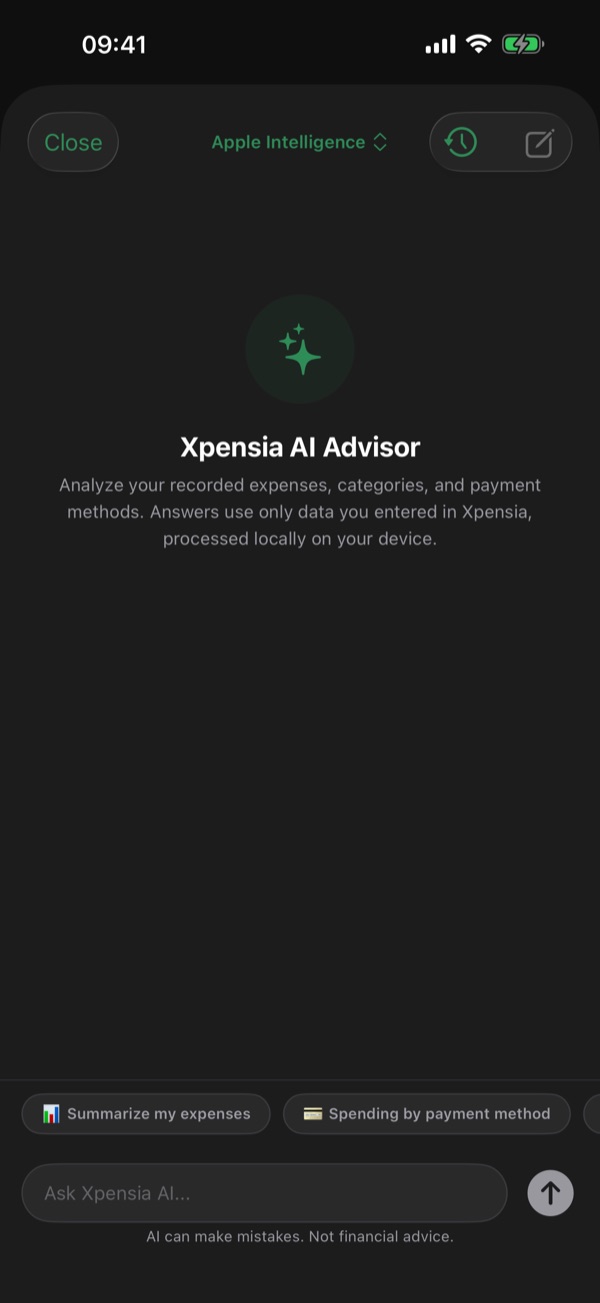
How much went on restaurants this month? What grew the most this year? Xpensia’s assistant answers from the expenses you recorded, with figures it looks up, never invented. It runs on your iPhone, so your questions and your data stay there.
 Xpensia AIExample with sample data
How much did I spend on restaurants this month?
$186.40 in Restaurants this month, across 9 expenses. That is $41.10 more than at this point last month.
The model Apple runs on the iPhone itself. Xpensia always uses the on-device model and never Private Cloud Compute.
iOS 26, on an iPhone with Apple IntelligenceDownload an open model from Hugging Face and run it on the iPhone with Apple’s MLX. Suggested sizes for your iPhone, search, background downloads, as many as you like.
Gemma, Qwen, Llama, Phi… 0.3–2 GB eachIt looks up totals, categories, monthly trends and individual expenses, and reports exactly what it finds.
“Remember that…” and it keeps the note for later answers. Review or delete each note at any time.
Pick up any conversation where you left it.
It replies in the language you ask in.
The assistant is off by default. Turn it on in Settings when you are ready.
It talks only about your recorded expenses. “AI can make mistakes. Not financial advice.” is always in view.
Receipts and invoices
Scan a receipt, a bill or an invoice, or choose a photo. Xpensia reads it on your iPhone, finds the total and the date, suggests the category and fills in the expense for you to check and save. The image stays with the expense.
Apple’s document camera finds the edges of the page and straightens it. Or pick an image from your photos.
The text is recognized on the device, not on a server.
With the assistant on, the AI checks that it is a real receipt, bill or invoice and pulls out the total, the date and a category. With it off, Xpensia’s own reader finds them.
Everything arrives filled in and editable. The receipt image is kept with the expense.
Cards too: scan a bank card and Xpensia fills in its details.
Data export
Choose the dates and the format, and share the file wherever you want: a spreadsheet, another app, your accountant, your archive.
Easy to use
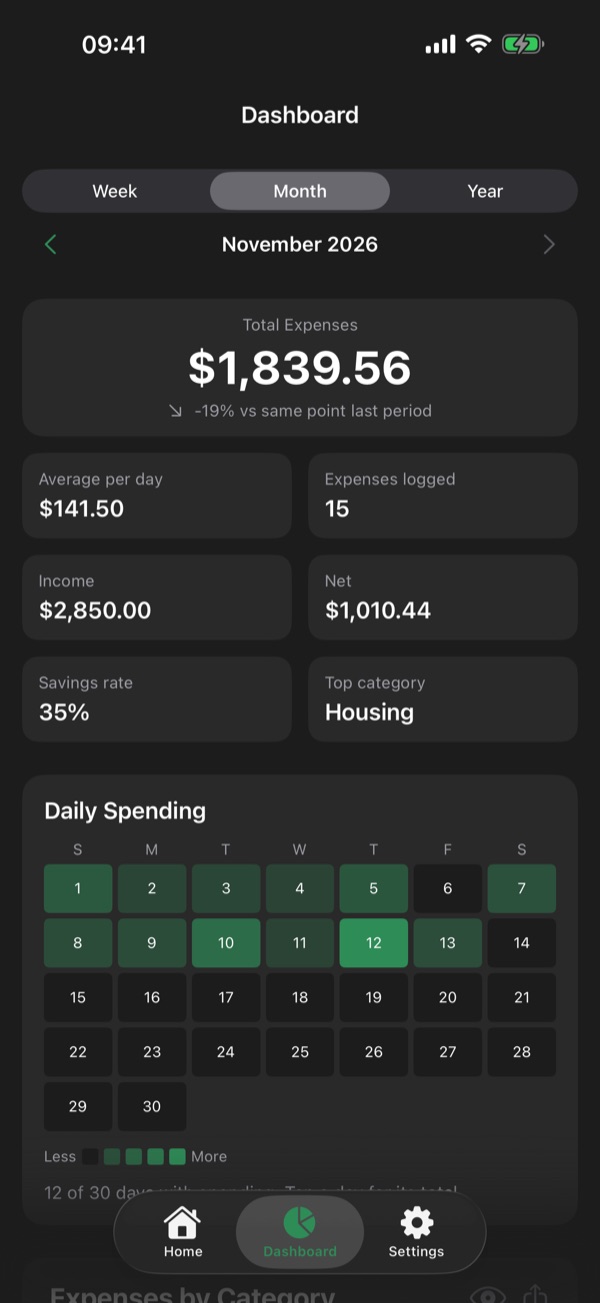
Adding an expense takes seconds, and the dashboard turns your expenses into answers. One Week / Month / Year selector drives every screen: key figures on top, every day of the period in a heat map, and the charts that explain the numbers.
A numpad, one category panel with search, your recent choices and a category suggested from earlier expenses with the same note.
One square per day, darker when you spent more. Habits show at once.
Total, daily average, the change against the same point of the previous period, income, net, savings rate and top category.
A chart by category with drill-down into subcategories, and a comparison of what costs you most.
Spending over time by week and month, income against expenses, and how much goes through each account and card.
Where spending is heading, with Smart Auto, linear regression, exponential moving average or polynomial trend.
iPhone Duo
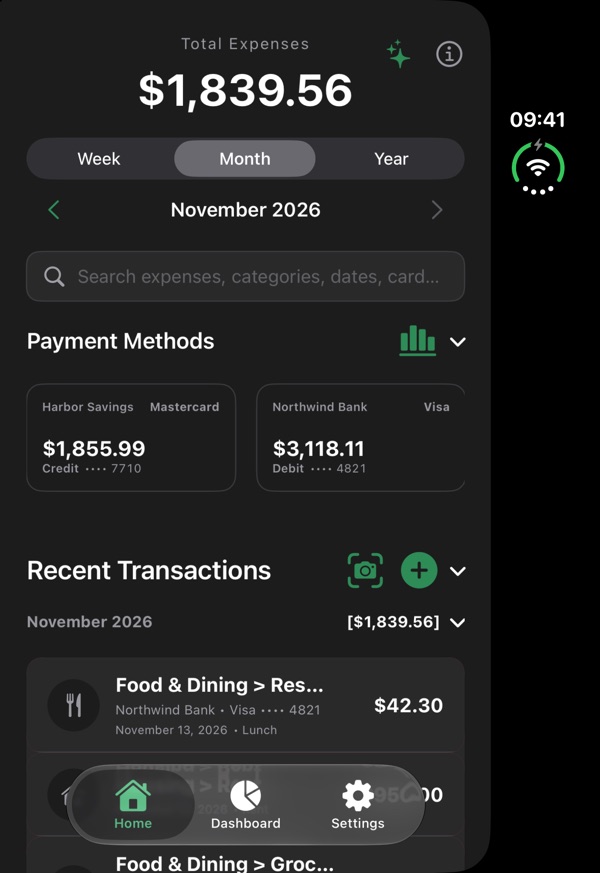
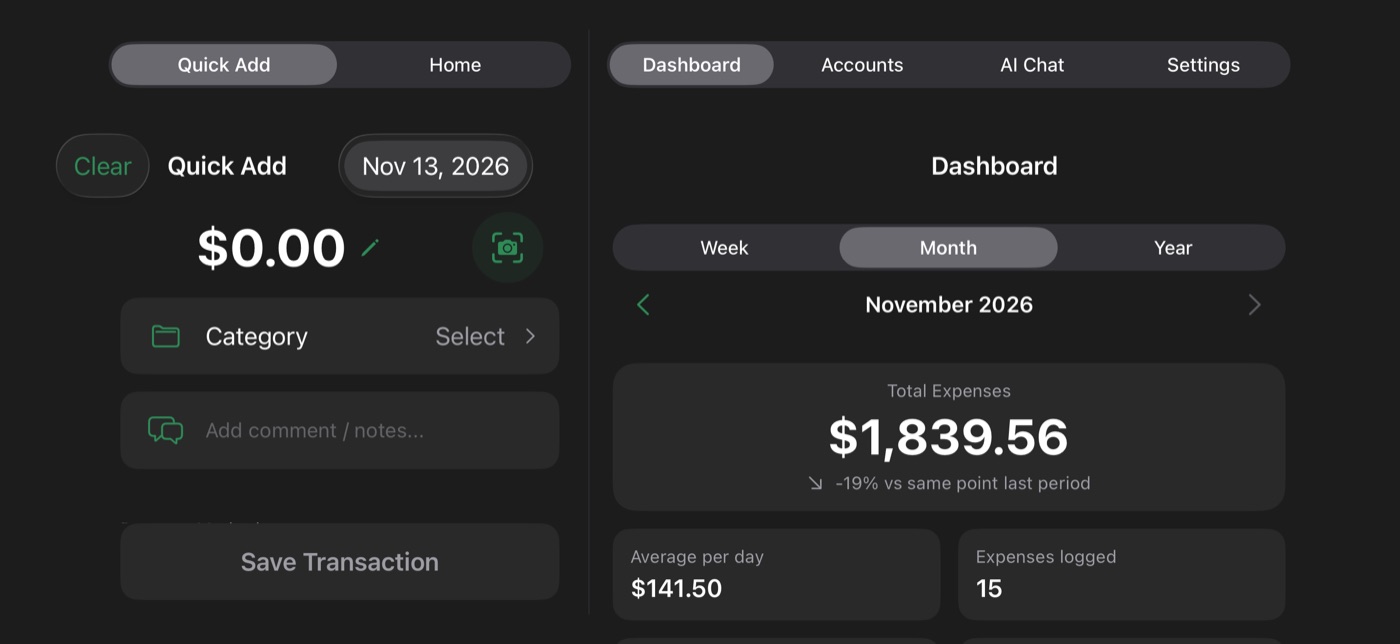
Xpensia adapts as you unfold the iPhone Duo. Folded, the usual tabs. Open, two panes side by side: add an expense on the left and watch the dashboard on the right change at once.
The left pane switches between Quick Add and Home; the right between Dashboard, Accounts, AI Chat and Settings.
Saving an expense on the left updates the right pane immediately.
Portrait and landscape, and split view next to another app. A large iPhone in landscape gets the two panes too.
Everything else
Search categories and subcategories at once, create them on the spot, without duplicates.
Every bank account and card in one place. Scan a card to fill in its details.
English, Spanish, German, French, Italian, Japanese, Korean, Dutch, Portuguese and Simplified Chinese.

Xpensia is coming soon to the App Store for iPhone and iPhone Duo.
Requirements